
 AI Workforce


Intelligent, All-in-One Charting — Built for Medspas
According to the 2026 benchmark report,providers spend 25–40% of their clinical time on documentation. Medspa charting software that understands aesthetic procedures — SOAP-style treatment notes for injectables and laser services, injection site documentation, before/after photo documentation linked to the clinical record, and AI-assisted note generation — gives that time back. Zenoti's forms and charting layer covers the complete clinical documentation workflow for medspas, built into the same platform as booking, payments, and marketing. Chart, take photos, and complete treatment notes — all in one flow, without switching systems.
End Charting Chaos Once and For All
Providers waste valuable time toggling between disconnected tools, chasing incomplete charts, and manually entering chart data, leading to delays and burnout. Zenoti integrates everything into one intuitive, mobile-ready platform—simplifying every step of charting from intake to insights with AI-driven automation.

AI Assistance
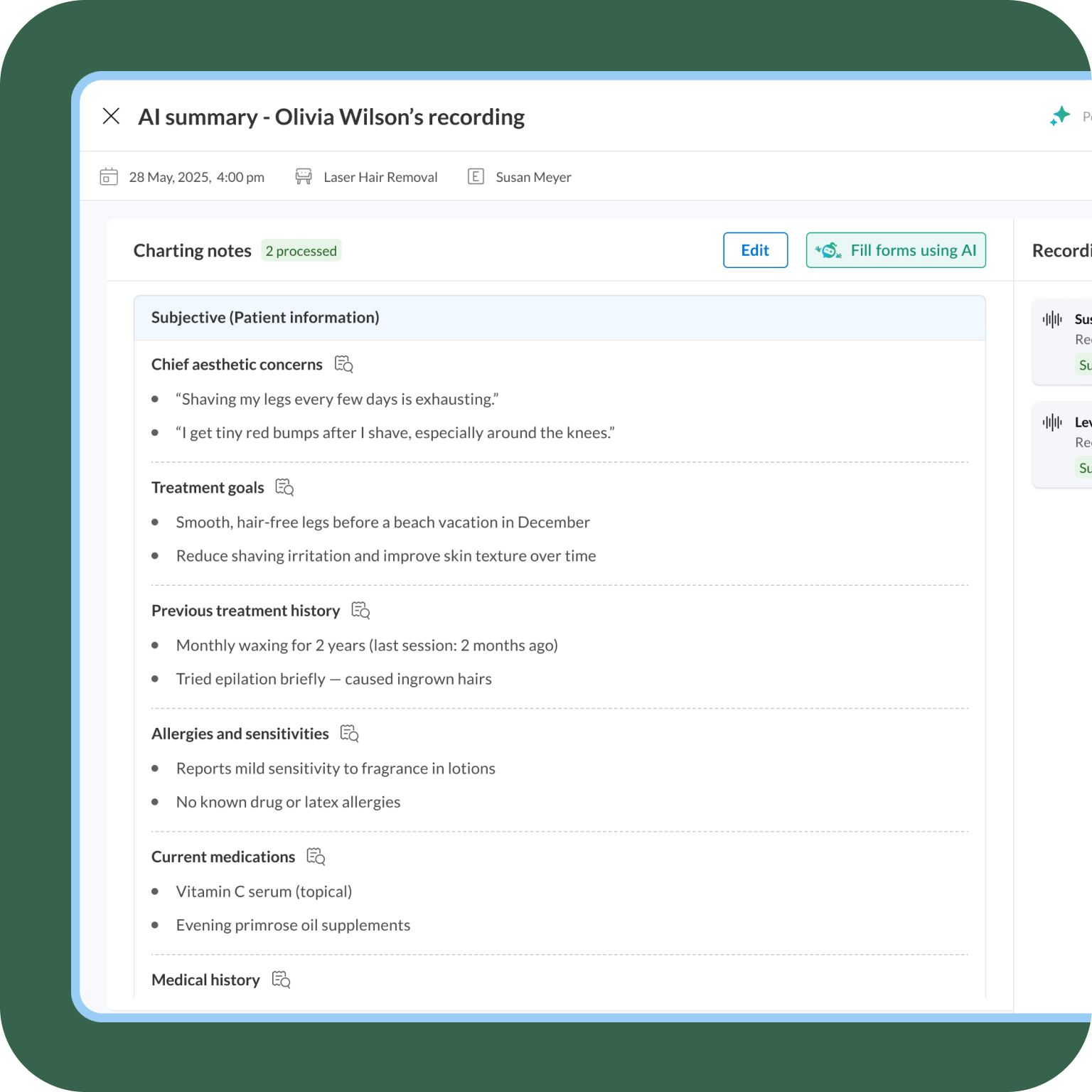
AI Scribe listens to the provider-patient conversation during treatment and instantly generates structured, aesthetics-specific clinical notes — auto-filling all fields in your custom Zenoti charting templates. Providers review and approve in 30 seconds rather than 8–15 minutes of manual documentation. Every note is generated to the standard of your best provider, ensuring SOAP-style documentation consistency across providers and locations. AI Scribe understands aesthetics terminology — injectable products, device names, treatment protocols — so the generated notes use the clinical language your practice uses. Predefined templates are available for Acne Treatments, Body Contouring, Anti-Aging, and LED Light Therapy

Faster & Accurate Charting
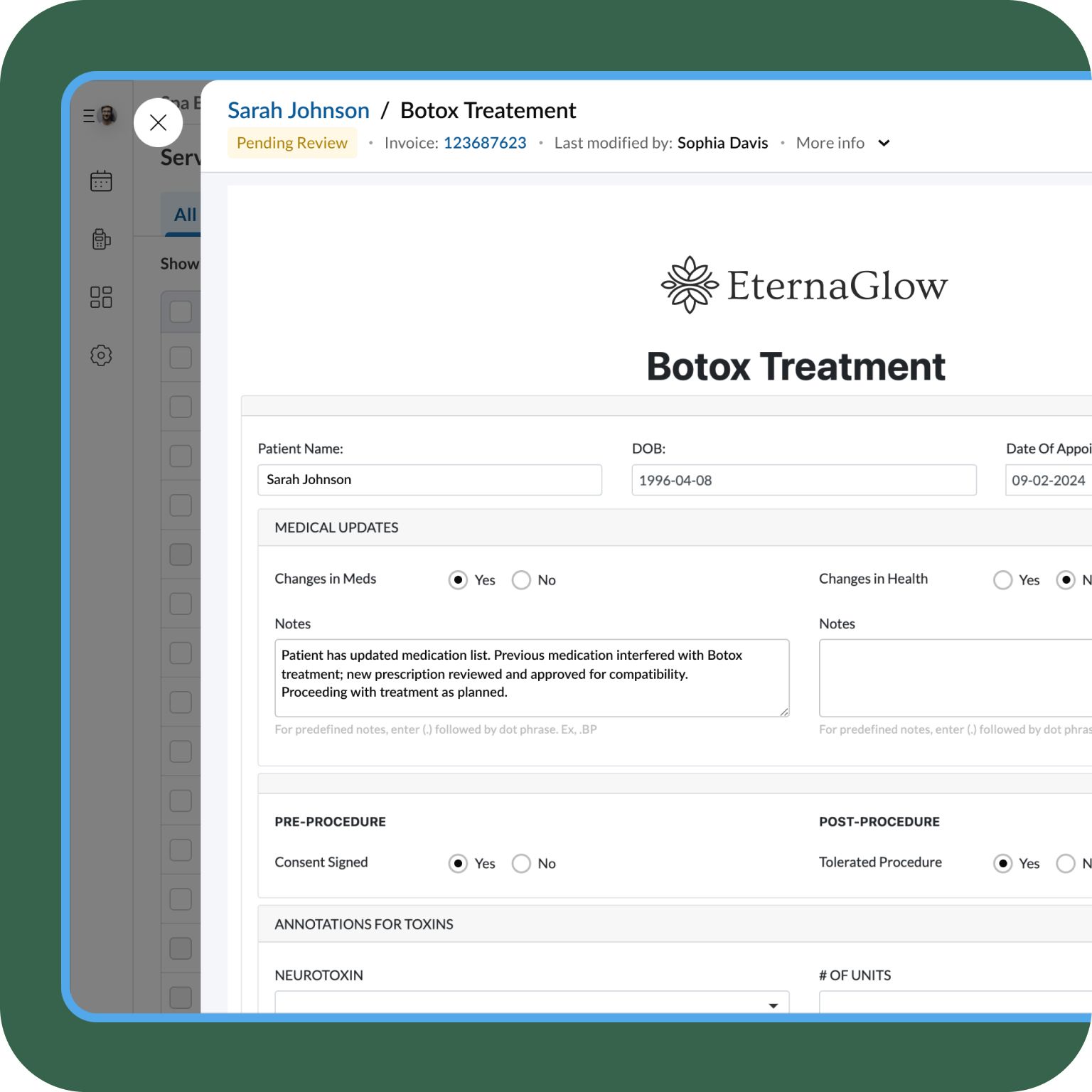
Zenoti's procedure-specific charting templates are structured to each treatment type — not a generic text field. Injectable treatment records capture product, units per injection zone, lot number, expiry date, and administering provider. Laser and energy-based device treatment notes capture device model, settings, pass counts, and treatment area. Skin treatment, IV therapy, and body contouring notes each have their own field structure — matching SOAP-style documentation standards for aesthetic clinical records. Providers can copy from a previous session and adjust, making follow-up charting for recurring treatments a seconds-long task rather than starting from scratch.

Always Compliant
Automatically send intakes, track completion in real-time, and maintain documentation compliance effortlessly.
One Unified Platform
Charts, photos, medical records, and compliance dashboards—all easily accessible across web, tablet, and mobile.
How Zenoti Charting Works
As soon as an appointment is booked, Zenoti auto-sends tailored intake, consent, forms directly to patients—no manual follow-up needed.
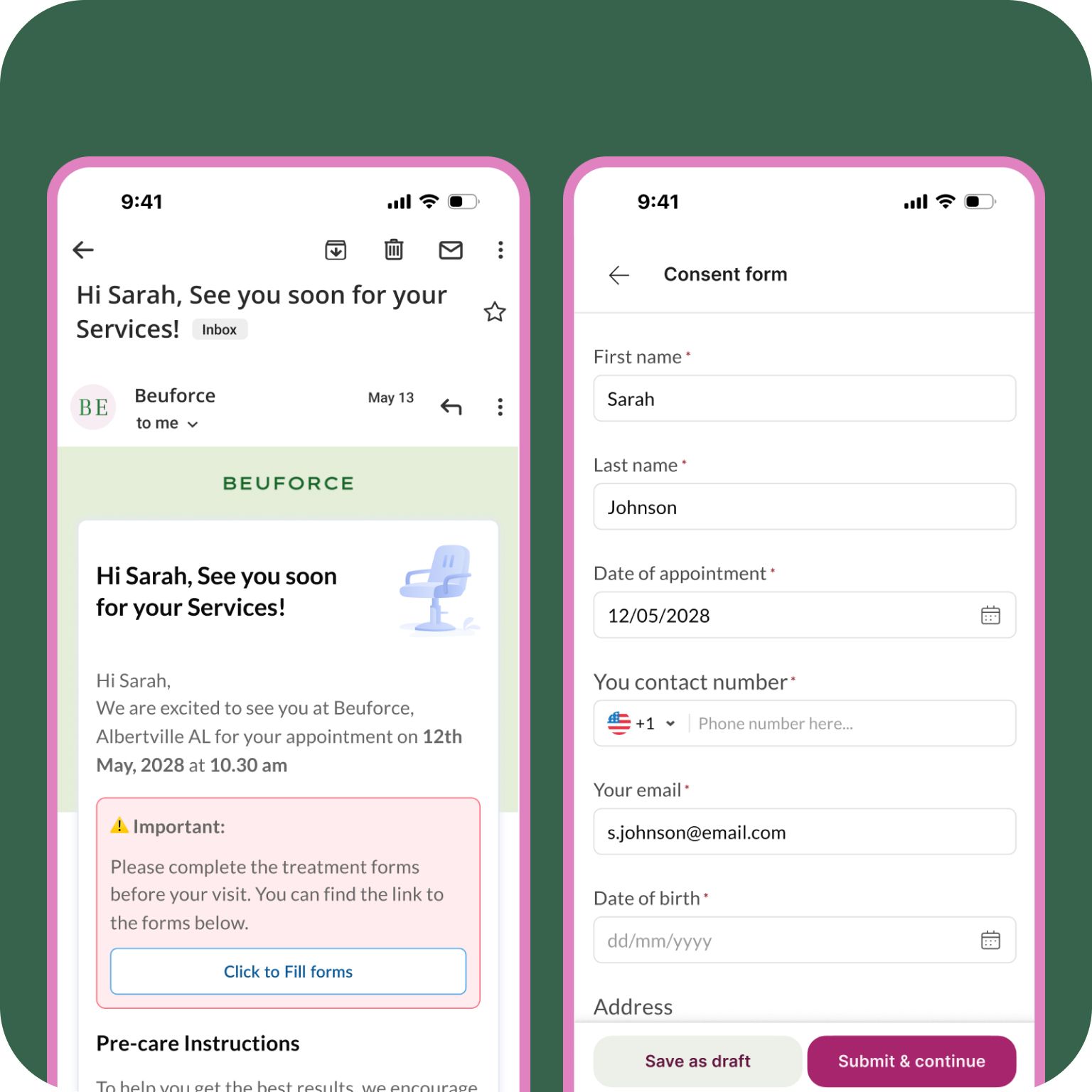
When a patient walks-in, providers can instantly check for form fill status on the appointment book, access unified patient medical records, including history, allergies, medications and so on,
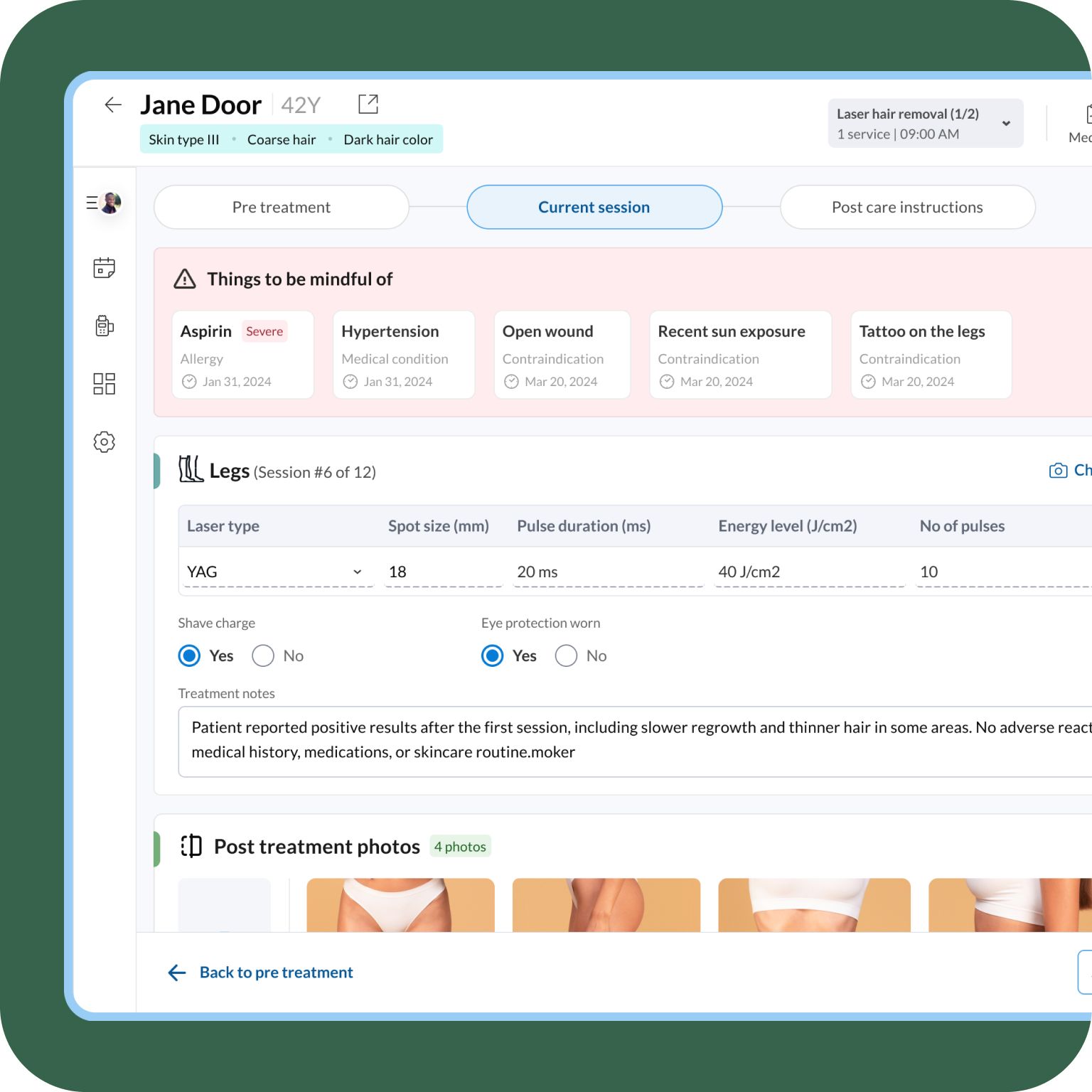
During consultations, providers use intuitive tools like DOT phrases, dynamic charts, and in-app clinical photography with annotations to accurately document interactions effortlessly.
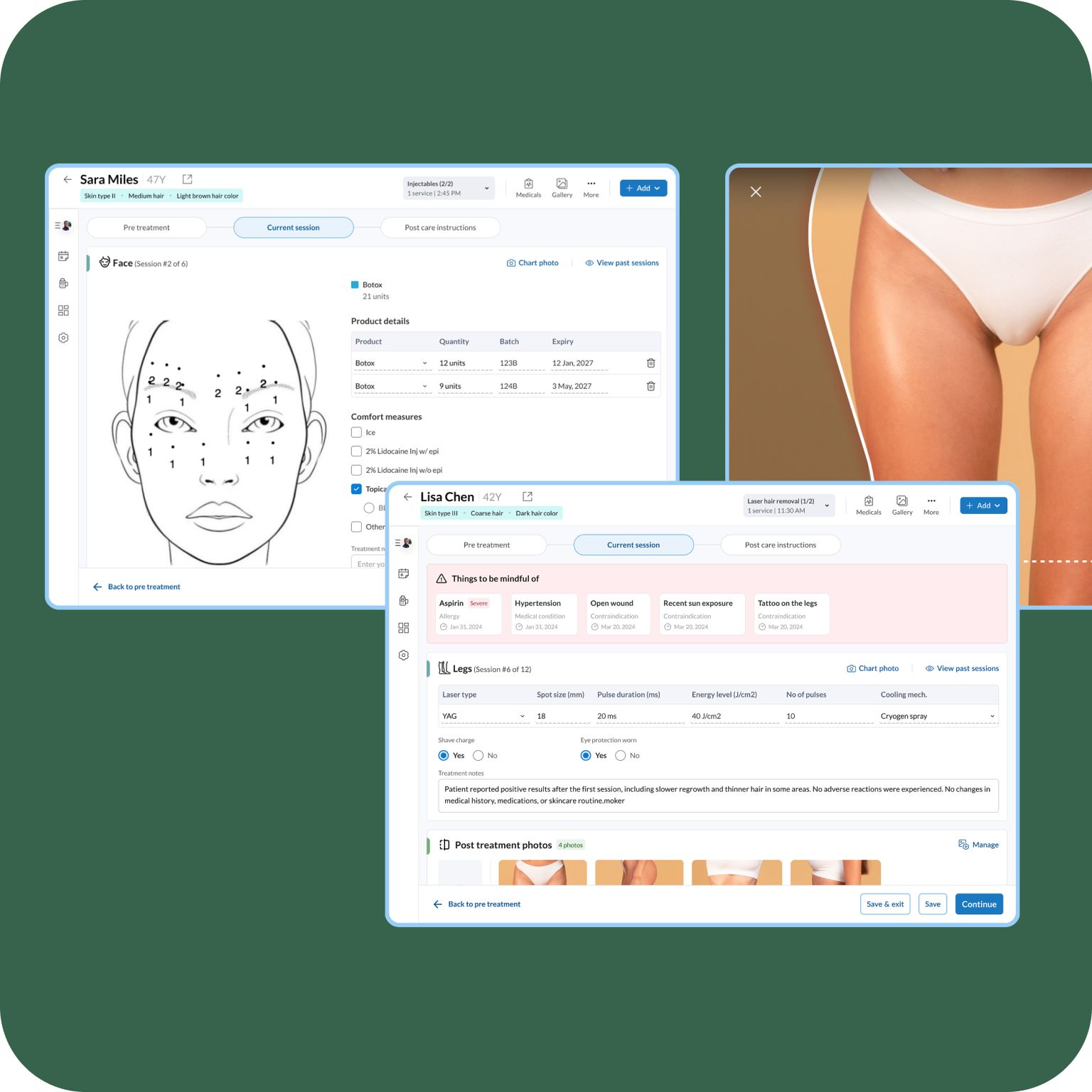
Zenoti’s AI generates instant treatment notes and insightful summaries, highlighting risks and recommended follow-up actions to enhance patient care.
Providers can easily complete charting and submit charts for Doctor’s review. Compliance dashboard provides a comprehensive view of unfilled forms and incomplete documentation.
Unlock Powerful, Customizable Charting Features
Build Personalized Smart Forms
Choose from a robust library of pre-built templates. Easily customize fields, apply conditional logic, and manage visibility settings to match your unique business requirements.
Automate Form Distribution
Forms are instantly sent after appointments are booked, with real-time completion tracking to ensure documentation readiness before patient arrival.
Centralize Medical Records
Access all crucial patient data—including allergies, medications, and notes—in a single, organized view, updated automatically for accuracy and ease.
Leverage AI for Effortless Documentation
Auto-generate editable SOAP notes and detailed treatment summaries, significantly reducing manual documentation and enhancing precision.
Accelerate Charting with Intuitive Tools
Use built-in tools like DOT phrases, auto-syncing data fields, and integrated clinical photography for swift and accurate charting without workflow interruption.
Simplify Compliance Management
Built-in dashboards provide real-time visibility into documentation status, simplifying bulk review and ensuring ongoing regulatory compliance.
Enhance Patient Care and Communication
Automatically send booking confirmations, appointment reminders, and pre/post-care instructions to enhance patient experiences and outcomes.
Chart Anywhere, Anytime
Work seamlessly across desktop, tablet, and mobile devices, empowering providers to manage charting flexibly and efficiently from anywhere.
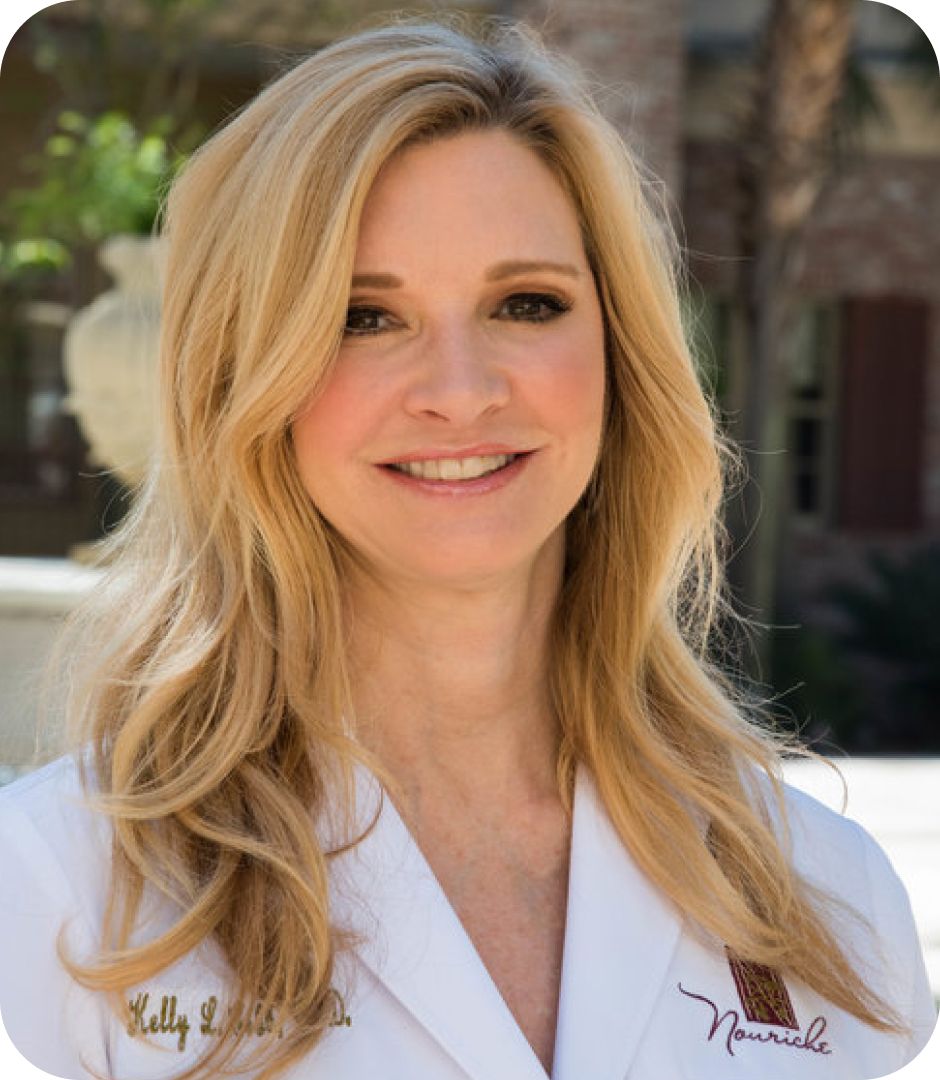
“Zenoti's forms and EMR features have made charting and documentation much easier for our clinicians. It has added efficiency and provided checks and balances for me as the clinic owner.”
Dr. Kelly Cobb
Owner, Nouriche Wellness & Asethetics
Before/after photo documentation linked to the clinical record
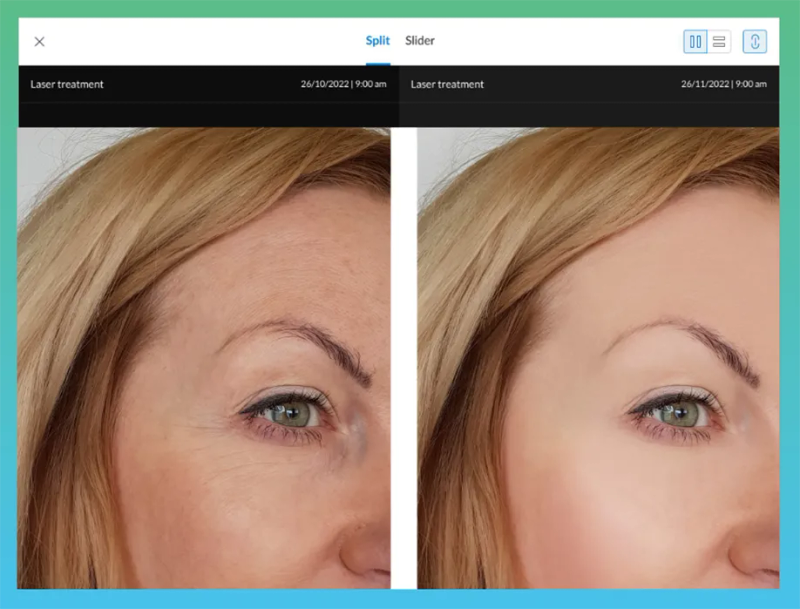
Every before/after photo taken in Zenoti is linked directly to the specific treatment visit and chart note — not stored in a separate photo library. Zenoti's Photo Manager provides 200+ face and body guides with guided capture sequences for every required view, ensuring consistent photo documentation across every provider and visit. For injectable treatments, face and neck guides covering the major injection zones — forehead, periorbital, lip, jawline, neck — serve as visual injection site mapping for the clinical record. For laser and body contouring treatments, full-body guides document abdomen, chest, arms, and legs. The ghosting overlay feature aligns new photos precisely with previous session images, creating clinically accurate treatment progress documentation across a series. All photos are stored in a HIPAA-compliant environment with role-permission-controlled downloads and consent verification before export. VIO Med Spa, handling 20,000+ appointments per month, reports that Photo Manager saves two to three minutes per appointment — over 30 minutes per provider per day and an estimated $7,500 in additional monthly revenue.
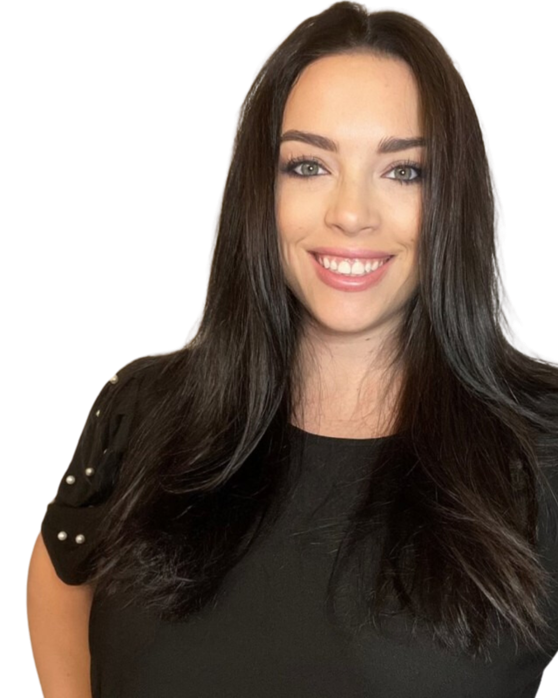
“We require on every single treatment form that a photo is taken for a complete record of the guest journey. Having the Photo Manager built into Zenoti helps save two to three minutes for each appointment, which adds up throughout the day and streamlines the provider processes around patient journey management.”
Nicole Acosta
Director of Strategic Integration, VIO Med Spa
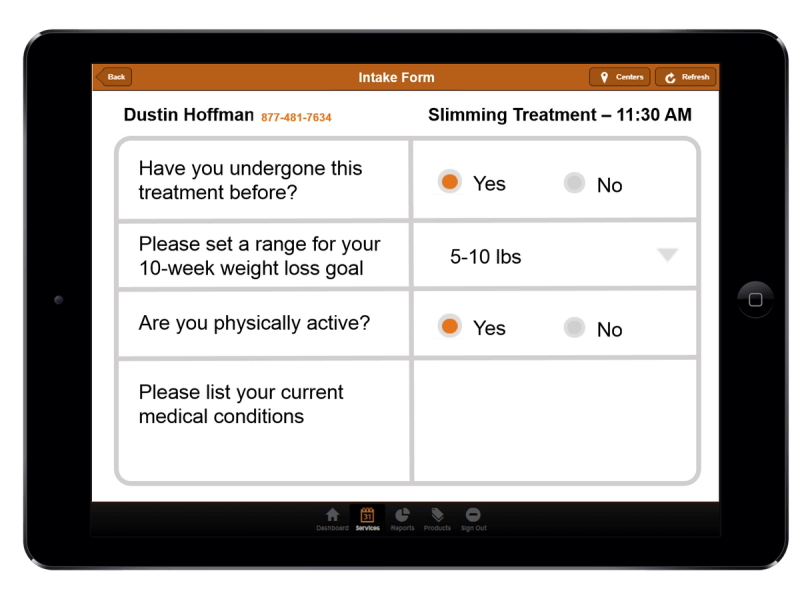
The Zenoti Medical Record — complete patient health history in one screen
Zenoti's Medical Record consolidates every clinical data point into a single screen: critical contraindication alerts, active allergies with severity levels, current and past medications, active medical conditions, family medical history, vitals (blood pressure, heart rate, weight, respiratory rate), social history, and provider notes. Two-way sync with forms means data captured in patient intake and consent forms automatically populates the Medical Record — and updates made in the Medical Record flow forward to future forms and visits. Providers entering the treatment room see the patient's complete health history at a glance, with contraindications and safety alerts surfaced prominently before the first question is asked. Patient data is standardized across all providers and locations, giving clinical leads and medical directors consistent oversight and audit capability across every center.
Connect Effortlessly with Telehealth Integration
Seamlessly integrate Zoom for virtual consultations, further expanding your service delivery capabilities.

Reduce Your Admin Time and Ensure Compliant, Accurate Documentation Today
Unique Insights for growth oriented wellness brands
Read The Check-In

FAQ
Yes. Zenoti's charting templates are structured to match SOAP-style documentation standards for aesthetic clinical records. For injectable treatments, the note captures the subjective component (patient concerns and treatment goals), objective component (skin assessment, baseline photos, contraindications checked), assessment (product selected, units per zone, lot number, injection sites), and plan (follow-up timeline, post-care instructions). For laser treatments, the template captures device model, settings, wavelength, pass counts, and observed tissue response. AI Scribe generates these structured notes automatically from the recorded provider-patient conversation — mapping captured information to the correct fields in the procedure template. The provider reviews and approves in 30 seconds.
Injectable treatment charting in Zenoti captures product, dose per injection zone, lot number, expiry date, and administering provider as structured fields — not a generic text entry. Before/after photos are linked to each session through Photo Manager, which provides face and neck body guides covering the major injection zones used in aesthetic medicine (glabella, forehead, lateral canthal, perioral, nasolabial, jawline, neck). These photos serve as the visual injection site record for the clinical documentation. AI Scribe maps the dosing and site information captured in the provider-patient conversation directly to the correct fields in the injection template automatically.
Zenoti's laser and energy-based device charting templates capture device model, treatment parameters (settings, pass count, spot size), treatment area, topical or cooling used, provider's observed tissue response, and patient-reported sensation — all as structured fields. Photos of the treatment area, captured with Photo Manager's body guides for full body, abdomen, chest, arms, and legs, are linked directly to the session record. The ghosting overlay aligns new photos with previous session images for accurate progress documentation across a laser treatment series. Providers can filter the patient's photo gallery by service type to review the complete laser treatment history in one view.
Yes. All Protected Health Information in Zenoti's charting environment — chart notes, consent forms, and photos — is encrypted at rest and in transit. Role-based permissions control which staff can view, create, or modify clinical records; front desk staff do not have access to clinical charts by default. Every access to a patient chart, every note created or modified, and every photo viewed or downloaded is logged with a timestamp and user identity. Photo downloads require a consent verification popup before export. AI Scribe recordings are governed by patient consent protocols — patients are informed at the start of every session and can pause or stop the recording at any time. Zenoti provides a signed Business Associate Agreement.
AI Scribe is available on the Zenoti Mobile App on tablets and mobile devices. It records the provider-patient conversation during the appointment, understands aesthetics-specific terminology — injectable product names, anatomical zones, dosing language, device terminology — and generates structured clinical notes. Predefined templates are available for Acne Treatments, Body Contouring, Anti-Aging, and LED Light Therapy. Custom charting layouts can be built for any service. The AI Insights panel shows processing status (green = complete, yellow = in progress, red = needs attention). The provider reviews, edits if needed, and approves — the note is saved to the patient's clinical record with a full version history. Multiple recordings for the same appointment are automatically merged into a single unified AI Charting Summary.
Yes. Zenoti's charting is fully available on the Zenoti Mobile App on tablets and mobile phones. In the treatment room, providers access the patient's Medical Record, open the charting template, capture before/after photos with Photo Manager's guided face and body sequences, and run AI Scribe — all from one device without switching applications. The patient profile, charting template, and photo capture run in the same session. AI Scribe is only available on the mobile app, not on Zenoti Web, making the tablet-in-treatment-room workflow the primary documentation environment.